stough 202-
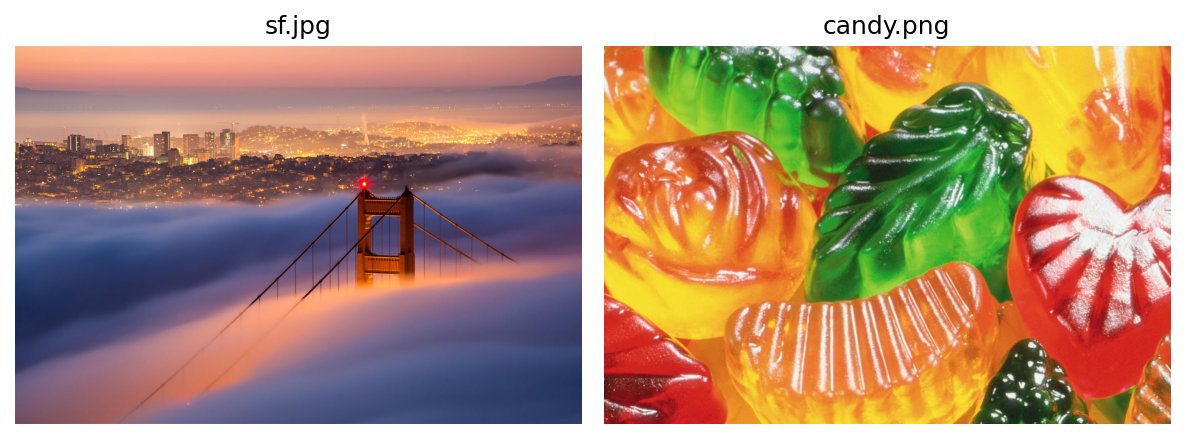
At this point you’ve already studied the matplotlib tutorial and other introductory materials. This is meant to be a space to walk through some of your coding on image display and manipulation. Let’s try some stuff out.
With the advent of IDE-integrated LLM copilots, any of the integrated activities or playpen notebooks like this are trivial to complete. That is, your completion of them reflect almost nothing about your understanding of the material. If you’re in class using this textbook resource, you can be expected to have to explain your work in non-augmented coding interviews throughout the course, which will comprise much of your grade. These integrated activities are to help guide your learning, not add to your instructor’s menial labor.
Imports
Copy and paste into this notebook the imports from the matplotlib tutorial.
Read an Image
Try loading ../dip_pics/sf.jpg and reporting on its content using the arr_info function we’ve written. This image should be three channel with 8-bit color depth. That is, every pixel is represented by three numbers in the range .
Display the Image
Again, use the matplotlib tutorial as guidance here and display the image.
Question - the image
What is I after a command like I = plt.imread('file.x')? How big is it, what is its shape, what kind of data are in its pixels? See for example the matplotlib_tutorial about importing arr_info from matrix_utils.py.
Make the Image Brighter
Let’s try to make the image brighter. If every number in the image is a uint8, what happens to the image if we just try I50 = I + 50 for example? Import and use vis_pair to show both the original and the modified brighter image. What if we added 100?
If it doesn’t look right, then what happenned? Remember that the image is uint8.
Try to correct the issue.
Question - Making the image brighter
Reflect on the visualizations above. Did you manage to brighten the image without completely distorting its colors, and how?
Try Again with a Different Image
Try loading ../dip_pics/candy.png and reporting on its content using the arr_info function we’ve written. You should see that the image information is quite different here. Try to make this image brighter.